How a Wall Panel Visualizer Helps You Avoid Costly Installation Mistakes
4 Min Read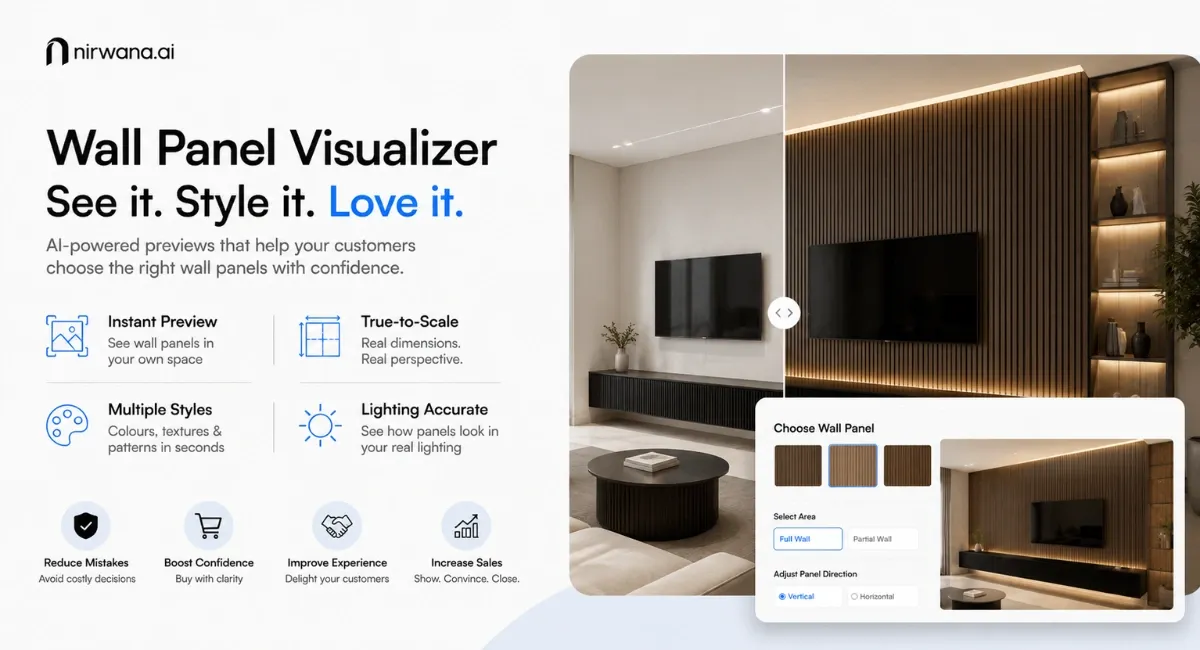
October 28, 2026
When a customer is looking at a catalogue, sample board or showroom display, it seems an easy choice to make for wall panels. The fun really starts when they start to visualize what this panel will look like on a whole wall.
The colour might be too dark, the pattern might be too busy or the width of the panel might be entirely different to what the customer thought, when looked at in a panel.
The other thing customers also ask is if the panel will fit with their furniture, lighting and room dimensions. They may be unsure whether to cover the full wall, create a feature section or use panels behind a television, bed or reception counter.
These decisions are difficult to reverse after installation. Taking wall panels away will ruin the wall surface, add labour expenses and slow down the project. The risk of this is minimized by a wall panel visualizer which lets customers see how the product will look finished before buying and installing.
Why Wall Panel Buyers Make Costly Decisions
The wall panel industry depends heavily on visual appeal. Customers are not only buying a material. They are buying the final look and atmosphere that the panel creates inside a space.
However, most buying decisions are still based on:
Small physical samples
Product catalogue images
Showroom displays
Basic room mockups
Social media inspiration
Personal imagination
All of this helps, but doesn't give you any idea of how the product will fit into your customer's home.
A dark wood panel can be a good choice for a large showroom, it might be a bad choice for a small bedroom. A fluted sample can seem delicate, but might seem repetitive when used throughout a wide wall. A light coloured panel can seem warm during the day, but look totally different in the evening under yellow indoor lights.
A wall panel visualizer tool removes much of this uncertainty.
Installation Mistakes Often Begin Before Installation
Many wall panel problems are not caused by poor product quality. They begin with an incorrect design decision.
The customer may choose the wrong colour, panel direction, pattern size or coverage area. They can choose to fill a whole wall instead of a smaller feature section which would have been more appropriate. They may select a finish that clashes with the flooring, furniture or ceiling.
The installation might be technically flawless, but this doesn't necessarily give the customer satisfaction.
This creates problems for everyone involved.
Customers may complain that the installed wall looks different from the sample. Dealers may face requests for replacement. Sales teams may spend time explaining the design outcome. Brands may lose customer trust even when their product performed exactly as expected.
A realistic preview helps customers understand the final result before money is spent on materials and installation.
How Wall Panel Buying Behaviour Is Changing
In today's day and age, customers are no longer satisfied with images of your product.
They want to see what a wall panel looks like within their own bedroom, living room, office, showroom, hotel or commercial space. They want to compare products quickly and make decisions without depending completely on imagination.
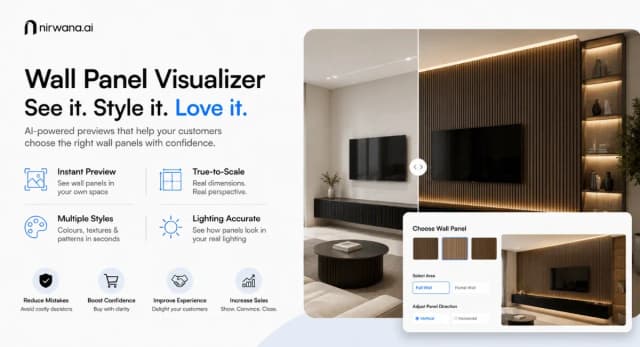
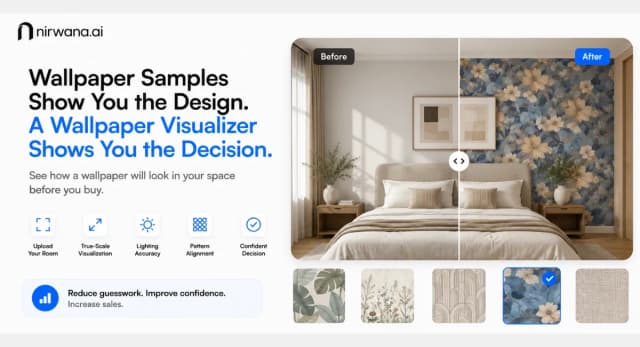
A wall panel room visualizer is a tool which the customer can use to upload a picture of their room, then apply a different wall panel design directly on the wall of their room.
They can make comparisons of colour, texture, patterns and layouts in just minutes.
Instead of saying, “Try to imagine how this panel will look,” brands can say, “Here is how it can look in your room.”
This makes the buying journey more engaging, practical and confidence-driven.
How Nirwana AI’s Wall Panel Visualizer Works
Nirwana AI helps wall panel manufacturers, brands, retailers and dealers offer realistic product visualization through their websites, showrooms and sales teams.
The customer uploads a room photograph or selects a preset room. The system detects the wall area and applies the selected panel to the surface.
The product is not simply placed as a flat image. Nirwana AI uses automated texture mapping to follow the wall’s angle, depth and perspective.
This makes the preview feel more natural and helps customers understand how the panel may look after installation.
Brands can upload their own product catalogue, including different colours, materials, textures, finishes and panel sizes. Customers can then explore real brand products instead of generic designs.
True-Scale Visualization Matters
Scale is one of the most important parts of wall panel selection.
A narrow slat panel and a wide fluted panel can create completely different visual effects. Customers need to understand how many panel sections will appear across the wall and how the design will relate to doors, windows, furniture and corners.
Nirwana AI’s wall panel visualizer can display products according to their actual dimensions.
For instance, a 150 mm panel can be compared to a 300 mm panel in the same wall. The smaller option could make it more intricate, whereas the larger option could give it a more streamlined and understated look.
This helps customers select the right product before installation begins.
Pattern Alignment and Lighting Accuracy
Pattern alignment can completely change the finished wall.
Wood grains, marble-style prints, fluted lines and decorative patterns need to appear properly aligned across the surface. Poor pattern planning can make the wall look uneven or disconnected.
Nirwana AI helps customers preview the pattern across the complete wall, making repetition and alignment easier to judge.
Lighting is equally important.
A panel may look lighter in natural daylight conditions and darker in warm indoor conditions. The shiny surfaces can reflect light, and the matte surfaces absorb more light.
Nirwana AI takes into account the current room setup and lighting to generate a realistic preview, providing a more accurate image of the final product.
Practical Use Cases for Wall Panel Brands
A wall panel manufacturer can integrate the visualizer into its website and allow customers to explore the complete product catalogue.
A retailer can use the wall panel visualizer tool inside the showroom to compare multiple products during a customer consultation.
A dealer can create room previews and send them through email or messaging platforms after a customer visit.
A sales representative can show different feature-wall options during a presentation and help the customer choose the most suitable design.
Brands can also use visualized room images in quotations, proposals and follow-up communication.
This makes the sales process more visual and keeps customers engaged for longer.
Better Visualization Leads to Better Decisions
A wall panel room visualizer cannot replace proper measurement or professional installation. However, it can significantly improve the design decisions customers make before installation.
It helps customers understand colour, scale, pattern, layout, coverage and lighting before committing to a product.
For wall panel brands, this means fewer uncertain buyers, stronger product presentations and a more modern sales experience.
Customers do not only want to see a wall panel sample.
They want to see how that panel will transform their space.
Nirwana AI makes this possible through realistic previews, true-scale visualization, accurate pattern alignment, lighting awareness and automated texture mapping.
Help your customers choose wall panels with confidence before installation begins. Book a demo with Nirwana AI and bring your wall panel catalogue to life.